Know which customers to thank, call and win back
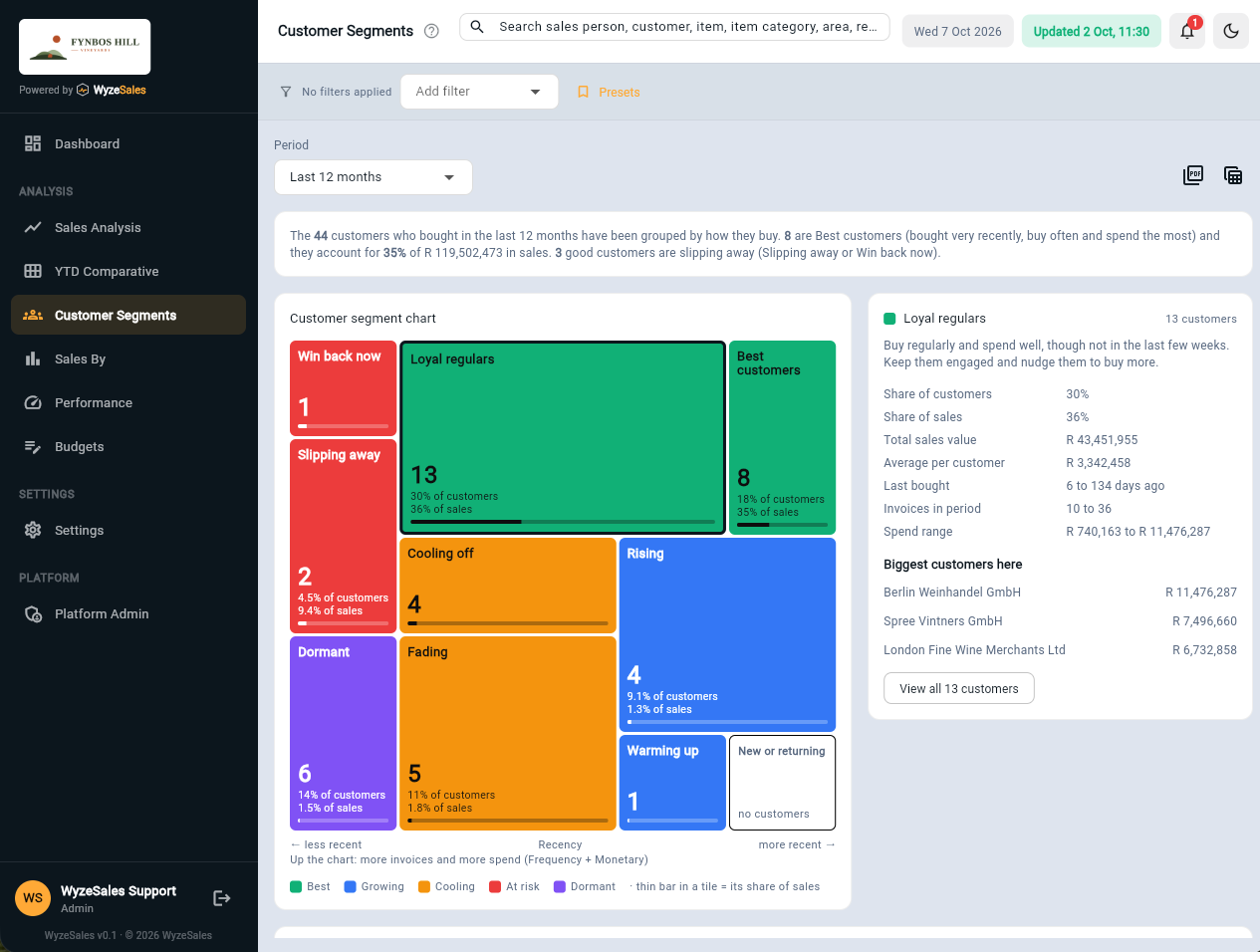
WyzeSales scores every customer on how recently they bought, how often, and how much they spend, then sorts them into ten plain-English segments. It runs on your ERP data, refreshed every night.
From a list of customers to a list of things to do
WyzeSales does the scoring for you, from the invoices already in your ERP.
Every customer is scored
How recently they bought, how often (number of invoices) and how much they spend (invoices less credit notes). Each is ranked from 1 to 5 against your own customers, so it works whether you sell to forty customers or four thousand.
Sorted into ten segments
From Best customers and Loyal regulars to Slipping away and Win back now. Every segment comes with a plain-English description and a suggestion on what to do next.
Click through to the customers
Choose a segment and see who is in it, what they spend and when they last bought, then jump straight into their sales.
Protect the customers who matter, and rescue the ones who are drifting
- Spot the quiet ones earlyGood customers who have gone quiet show up as Slipping away or Win back now, while there is still time to phone them.
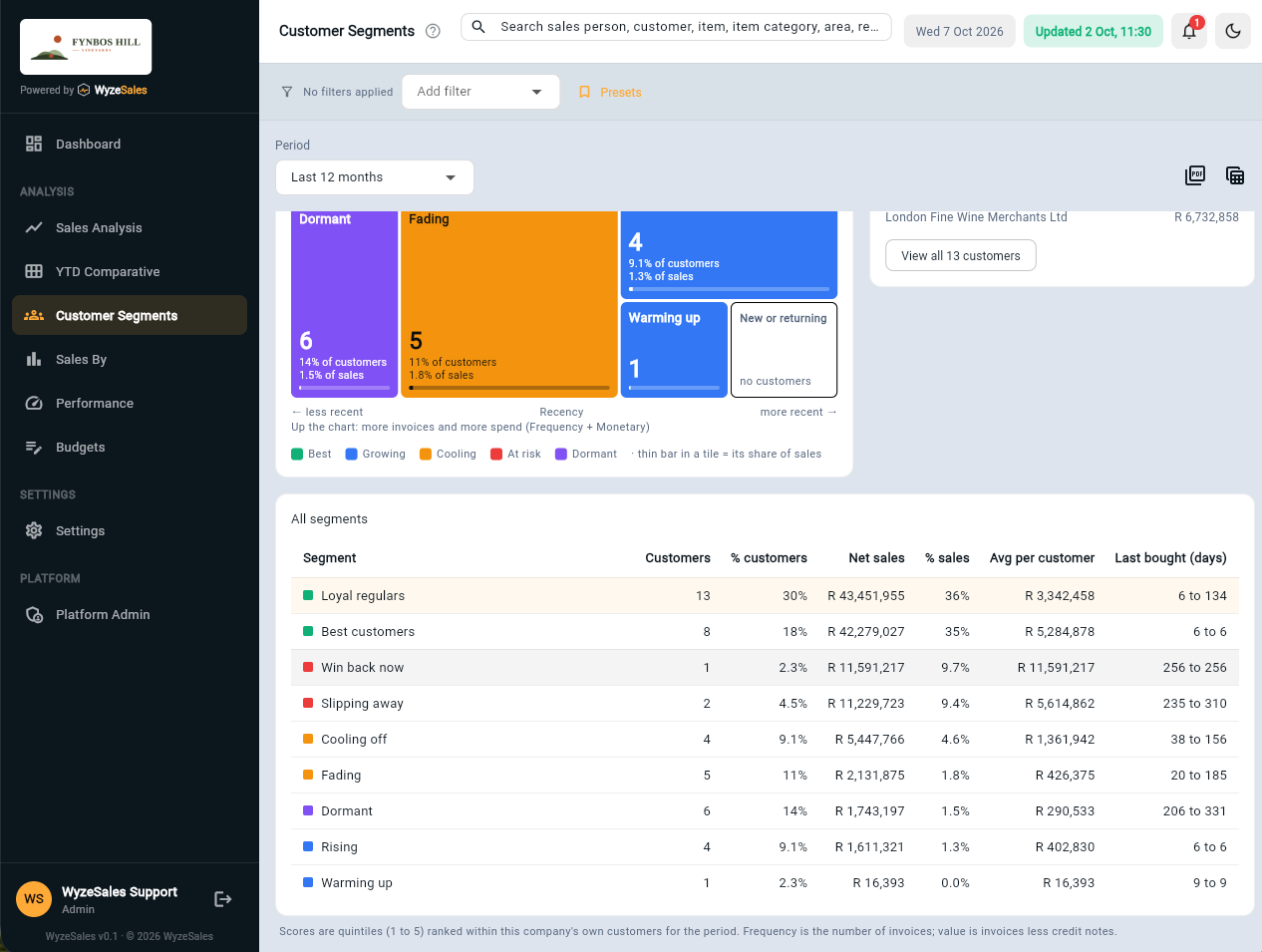
- See who carries the businessShare of customers against share of sales, for every segment. In our demo company, 18% of customers are Best customers and they account for 35% of sales.
- Give each rep their own listFilter by sales person, area, region, product range or customer category, and for the period you choose.
- Always up to dateYour ERP data is synced every night, so the segments are ready each morning. No exports, no spreadsheets.
Segmentation sits inside a 360° view of your sales
The same customers can be seen by sales analysis, targets, year-on-year comparison and alerts. See the 360° view. Looking at products instead of customers? See item segmentation.
Frequently asked questions
What is customer segmentation?
Do I need to export data or build spreadsheets?
Can I see segments for one region or one sales person?
How are customers scored?
Will it work with my ERP?
Let's talk about your business
Tell us what ERP or accounting system you run and what you would like to see. We will show you how it looks on real numbers.