Start the day knowing what changed and who to call
WyzeSales reads your sales every night and writes it up in plain English: what moved against last year, and which customers and products need your attention, each with a suggested next step. Two buttons on your Dashboard. No reports to build.
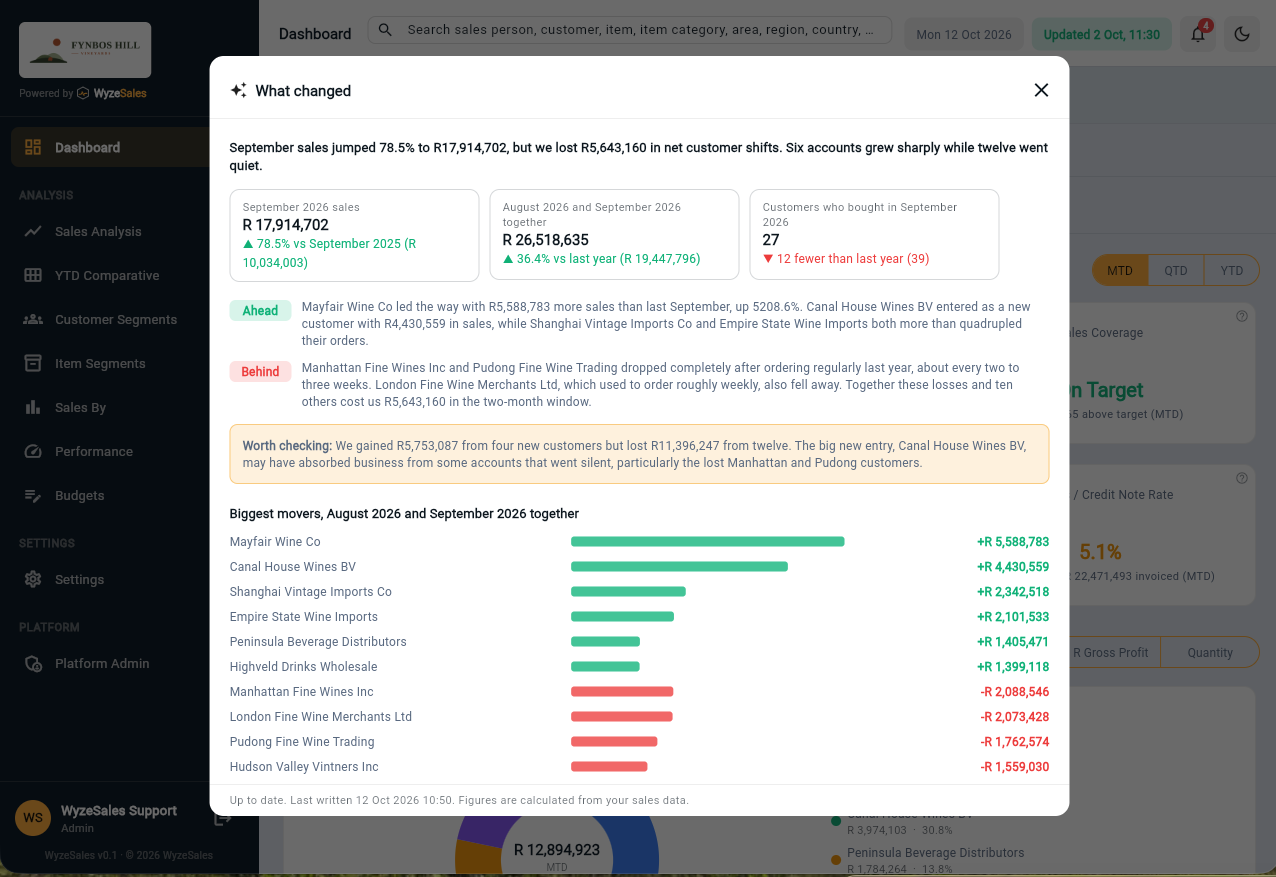
From a screen full of numbers to a short list of things to do
WyzeSales does the reading for you, from the sales already in your ERP.
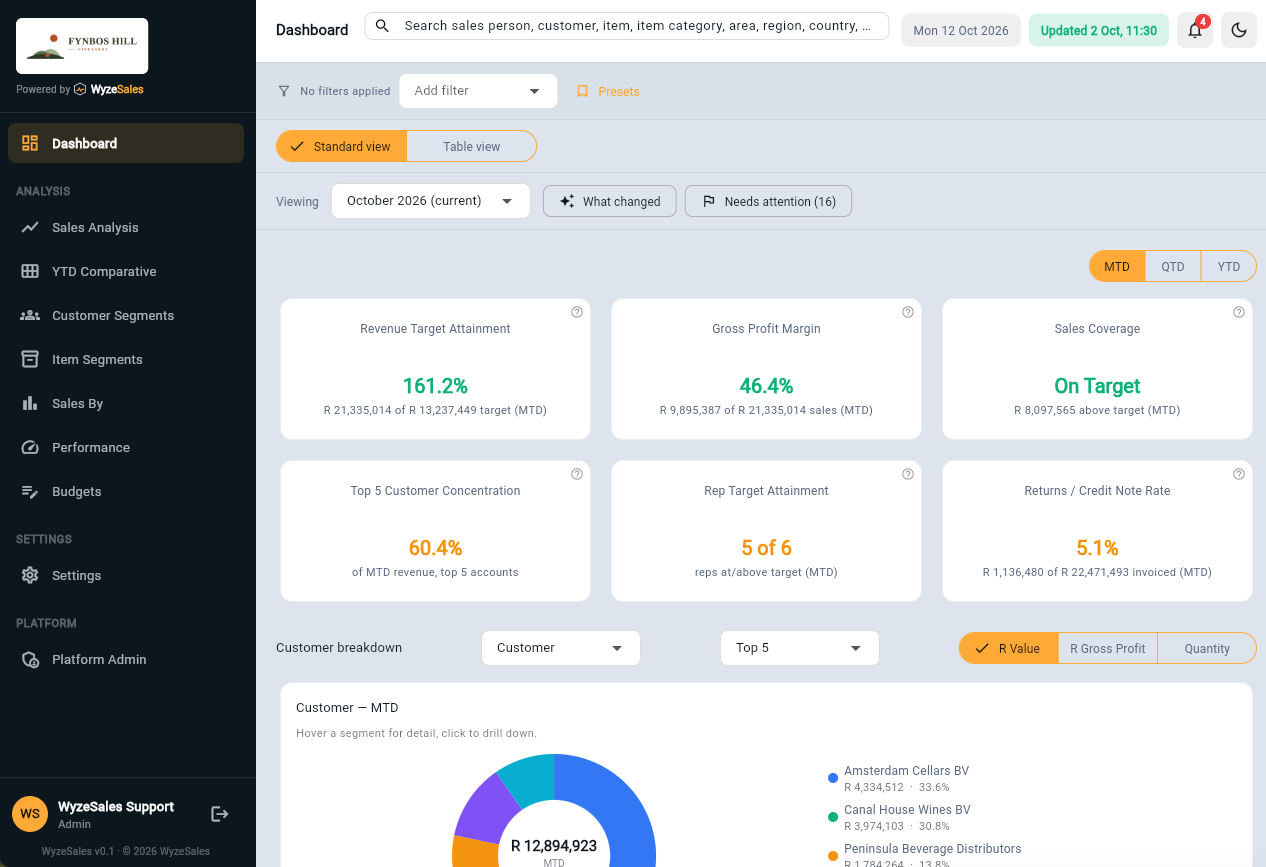
Open your Dashboard
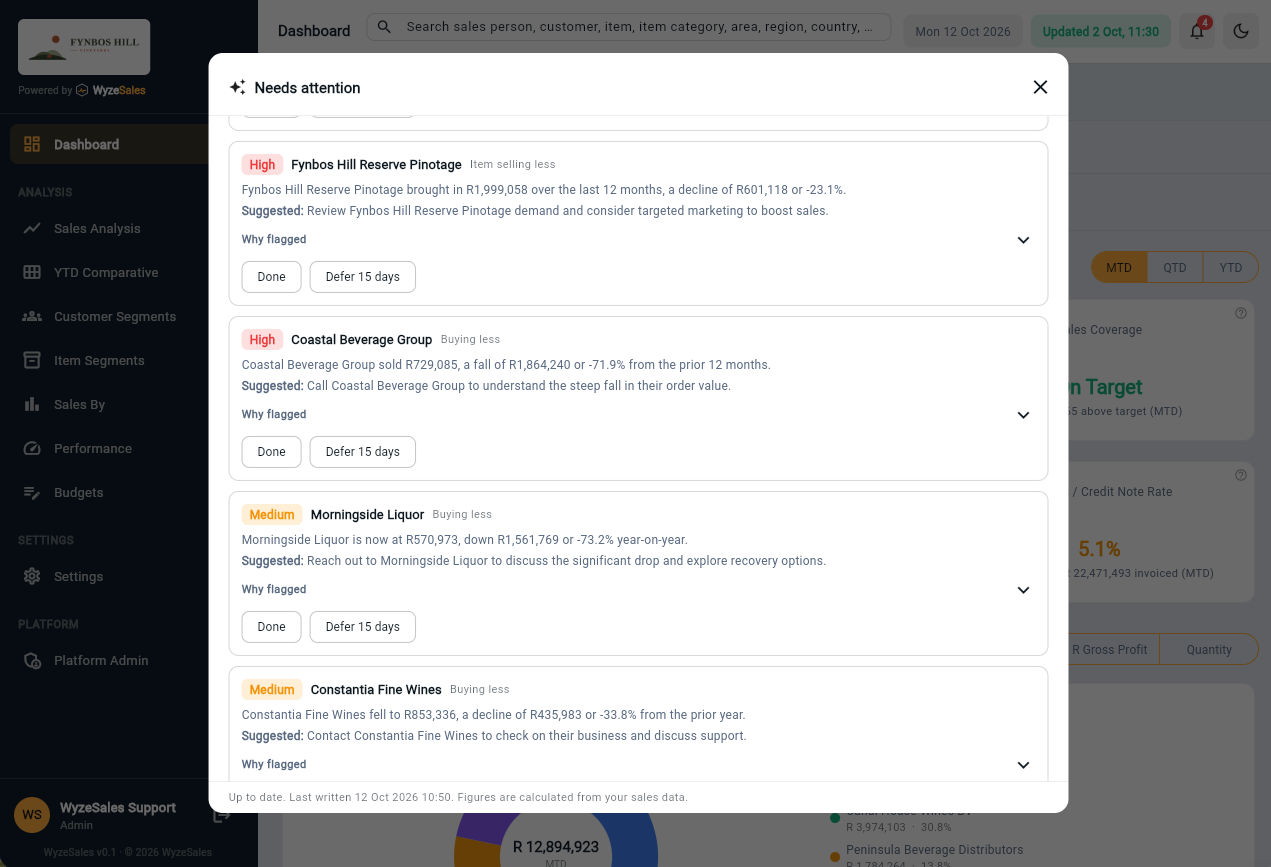
Press What changed for a short briefing, or Needs attention for a prioritised list of customers and products to look at.
Read it in plain English
The briefing sets last month against the same month last year, and names the customers who are behind and the ones who are ahead. The list says what is happening with each customer or product and suggests what to do next.
Act, then tick it off
Mark an item Done when you have dealt with it, or Defer it until later. Either way it steps out of the list, so what is left is what still needs you.
Spot the problem while there is still time to fix it
- A briefing instead of a reportWhat changed sums up last month against the same month last year in a few sentences, and names the customers who are behind and the ones who are ahead.
- See who has gone quietCustomers who usually order regularly but have stopped are listed, so you can pick up the phone before a gap turns into a loss.
- Catch customers who are buying lessCustomers whose last 12 months are well below the 12 months before are flagged, with the amount that is at stake.
- Notice best-sellers that are slippingTop-selling products that are declining or have stopped selling appear in the same list as the customers.
- Biggest firstEvery item is marked High, Medium or Watch by how much of your sales it involves, so you start with what matters most.
- Your own viewA sales person sees their own customers. An administrator sees the whole company.
- One list for the whole teamWhen someone marks an item Done or Deferred, everyone in the company sees it, so two people are not chasing the same thing.
- Always up to dateYour ERP data is synced every night, so it is ready each morning. No exports, no spreadsheets.
AI Insights sits inside a 360° view of your sales
It reads the same sales as customer segmentation, item segmentation and sales analysis. See the 360° view.
Frequently asked questions
What is AI Insights?
Is it available for my company?
Will everyone see the same thing?
What do Done and Defer do?
How often is it updated?
Will it work with my ERP?
Let's talk about your business
Tell us what ERP or accounting system you run and what you would like to see. We will show you how it looks on real numbers.